Embossing Label Makers
-
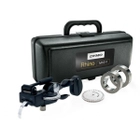
Dymo/Rhino Metal Tape Embosser ★★★★★★★★★★5- Item# 1011-05
- Industrial and factory tasks are easy with metal tape embosser tool with horizontal character wheel
- Features integrated with hole punch, front scissors and cable tie slot
- Includes reverse image wheel, 2 rolls of embossing tape and carrying case
list price $435.64$328.79Free shipping in the USA -
Dymo Office Mate II ★★★★★★★★★★2- Item# 1540-000
- Professional embossing tool
- Uses both 3/8" plastic embossing tape - Includes one roll non-glossy black tape
- Sleek design is easy to use and perfect for use at home and in the office
list price $63.45$36.77Free shipping in the USA
How to Choose the Right Embossing Label Maker
Choosing an embossing label maker based on the type of labels you need to create, the tape it supports, and how often you plan to use it. Consider factors like:
- Label appearance: Embossing label makers create raised-letter labels rather than flat printed labels.
- Tape compatibility: Confirm which tape widths, colors, and materials are compatible.
- Application surface: Consider whether the label will be applied to folders, shelves, bins, equipment, or another surface.
- Frequency: Occasional home or office use may require a different tool than frequent workplace labeling.
- Manual vs electric operation: Some users prefer simple handheld embossers, while others may want a powered or electric embossing label maker.
- Material needs: If you need vinyl, plastic, or metal embossing tape
Embossing Label Maker Tape and Materials
Embossing makers require compatible embossing tape. Standard paper labels are generally not used with embossing makers because the printer needs tape designed to hold raised characters. Depending on the type of embosser, compatible tape may vary by width, color, finish, or material.
Embossing Label Makers vs Label Printers
Embossing label makers and desktop label printers serve different needs. Embossing label makers create raised-letter labels by pressing characters into tape. They’re great for simple, tactile, classic labels where there isn’t a need for graphics, barcodes, or full-color designs.
Label printers create flat printed labels using thermal, ink, toner, or other printing methods, depending on the printing technology. They’re better for barcodes, shipping labels, product packaging, detailed text, or complex label designs.
If your labels need logos, barcodes, small text, or detailed graphics, a desktop label printer may be a better fit than an embossing label maker.